Acquisition
Where new donors come from and how many come back. KPIs — new donors vs last year, and the average first gift this year (with the file-wide average for reference). Charts — new donors per month, and average first gift by year (with a reference line at the file average). Tables — value by source: average first gift, estimated 12-month value, and second-gift conversion at 90 days and 12 months, per acquisition source. Controls — a year selector.Screenshot to add — Acquisition: KPI row + value-by-source table.
First gift to regular
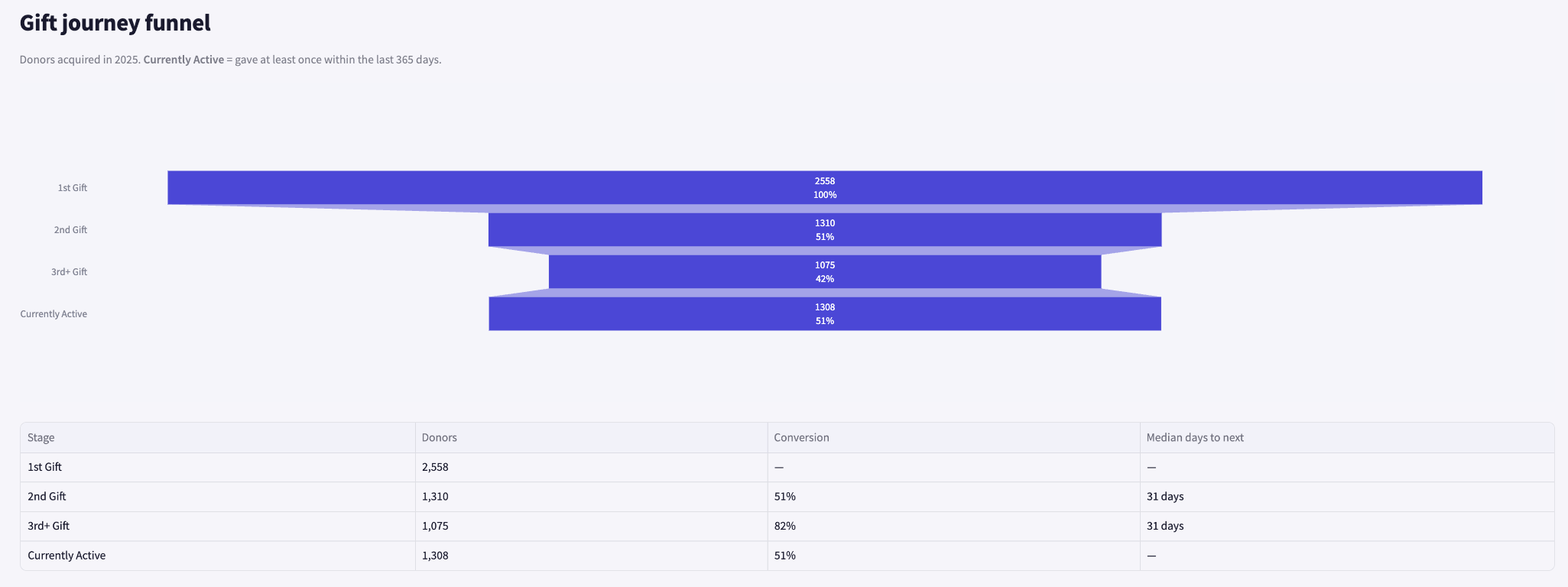
The journey from a first gift to repeat giving — and where donors drop off. Charts — a cohort funnel (first gift → second → third → currently active) with conversion rates and median timing. Tables — communications touchpoints: the typical number of DM/TM contacts before each gift stage.- KPI row
- Journey funnel
- Step detail


Donor segments (RFM)
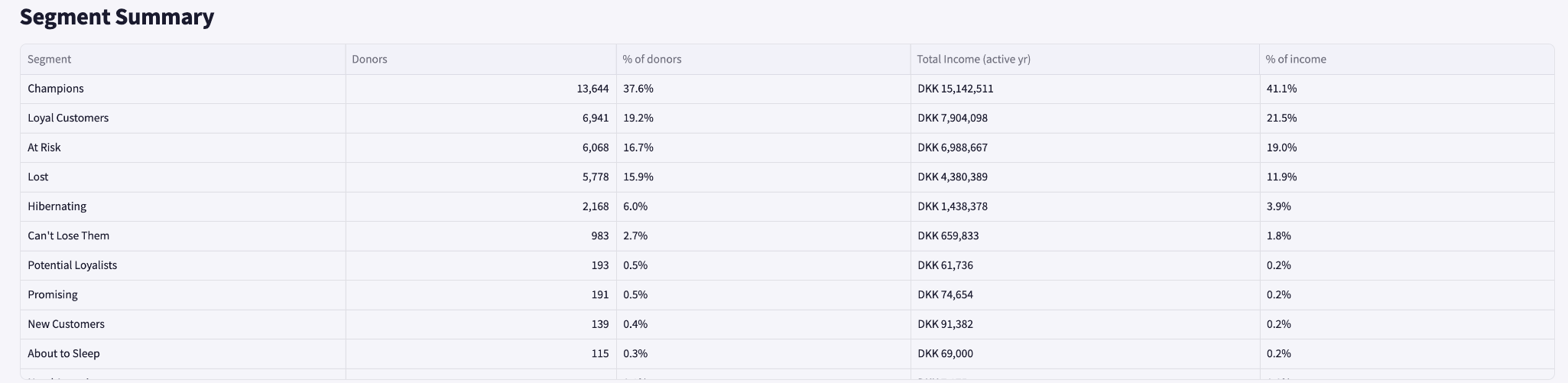
Donors grouped by how recently and how often they give, coloured by average gift value. KPIs — tiles for champions, at-risk, hibernating and lost segments. Charts — a recency × frequency grid, coloured by mean gift value. Tables — a segment summary (donors, % of donors, income, % of income).- RFM grid
- Segment summary

Lapsing & churning
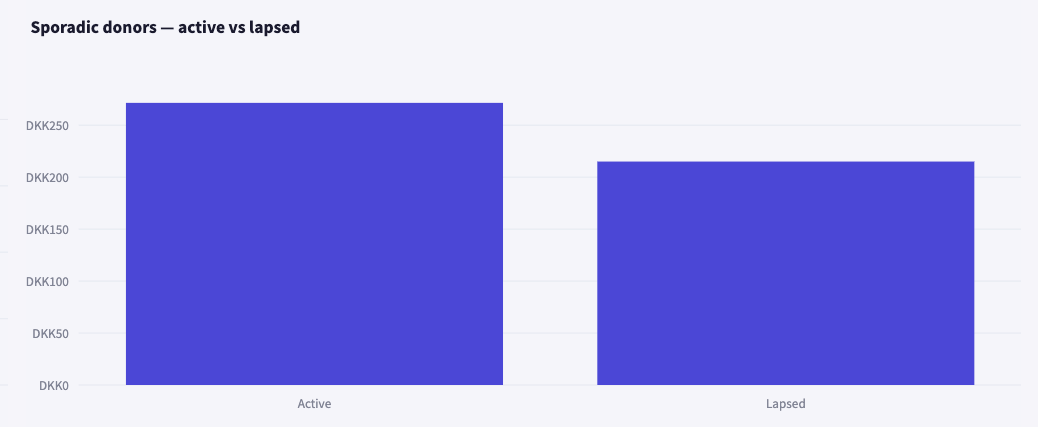
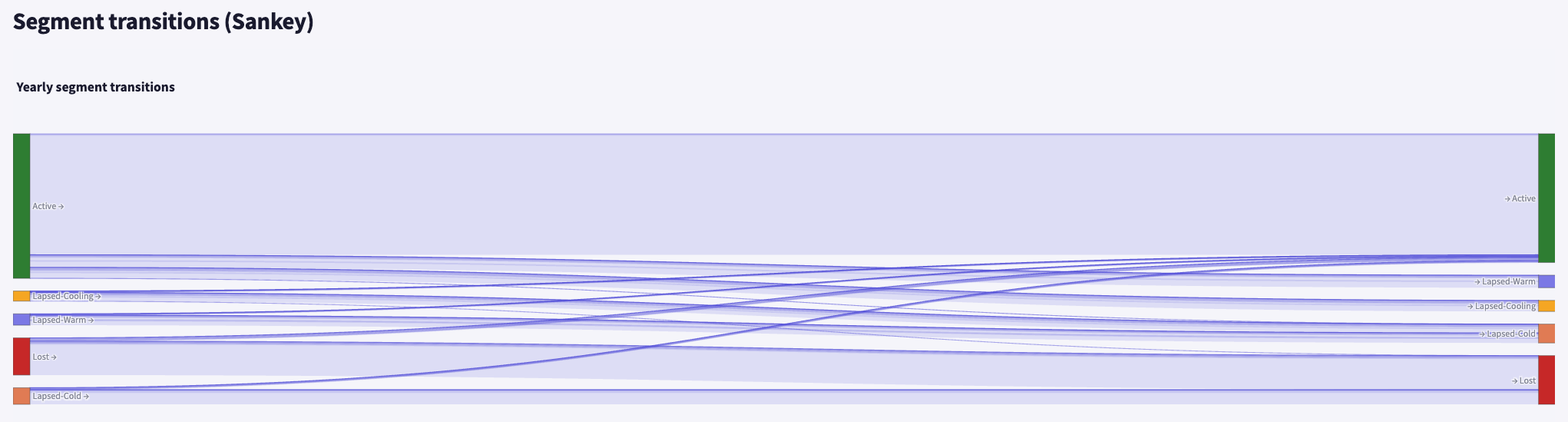
Are the donors you’re losing valuable — and can you afford to lose them? KPIs — the split of the base into active / lapsing / churning (count and % of base). Charts — active vs lost value bars (subscription donors active vs churned; sporadic donors active vs lapsed), and a segment-transition view (active → warm → cooling → cold → lost) over time. Tables — “Are we losing valuable donors?”: median value of donors going quiet vs active peers, with the % difference. Controls — a year selector for the transitions; an expander defines active / lapsing / churning / lapse bands.- Active vs lost value
- Segment-transition chart
- Value-comparison table

Contact frequency
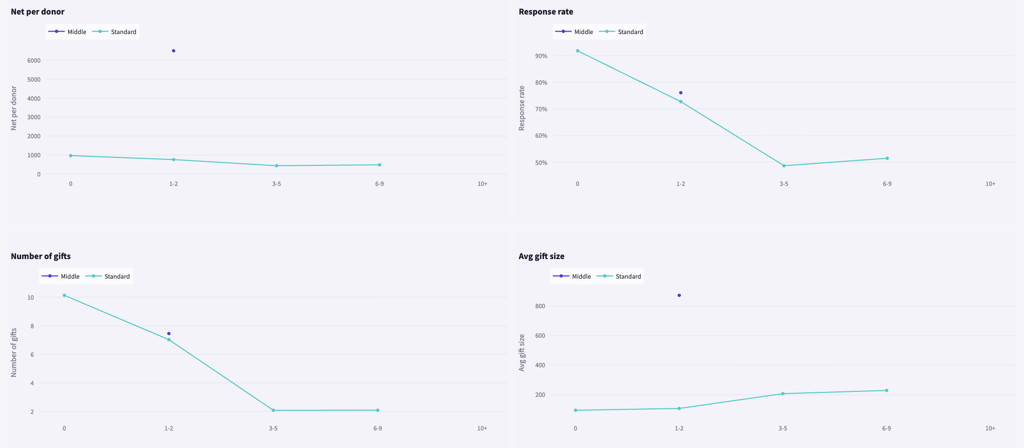
How the number of times you contact donors relates to their giving — a signal to investigate, not proof of cause. Charts — a 2×2 grid plotting net giving, response rate, gift count and gift size against contact-frequency band, one line per tier. Tables — an apparent optimal contact band per tier, flagging tiers that look over-contacted and the value potentially at risk. Controls — a channel selector (all / DM / TM) and a year selector.- 2×2 metric grid
- Optimal-band table

Donor insights
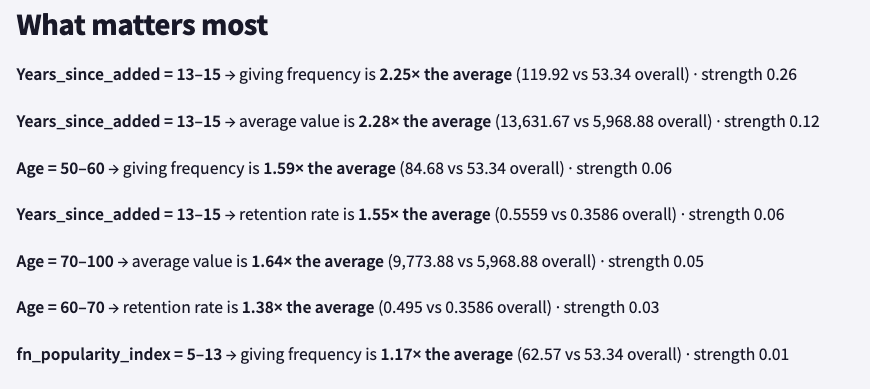
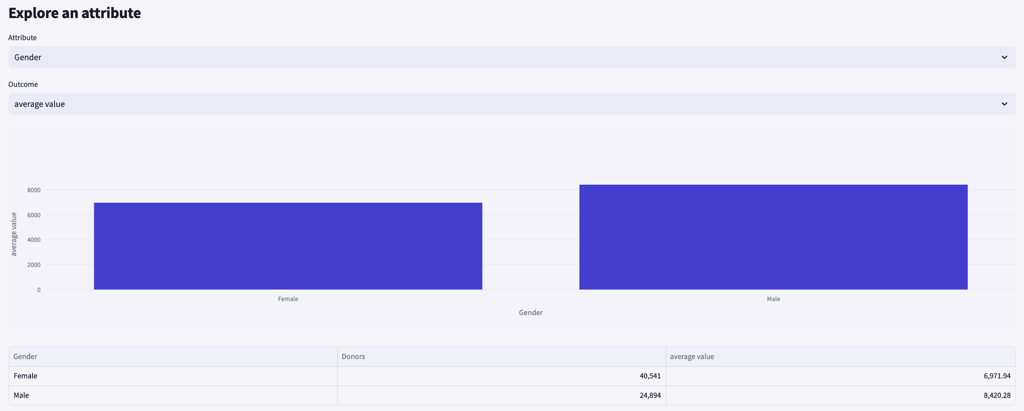
Which of your donor attributes — region, acquisition source, age band, and the like — relate most strongly to how much donors give, how often, and whether they stick around. The relationships are found automatically; they’re descriptive group comparisons, not predictions, and never a claim that an attribute causes the outcome. What matters most — a ranked list of the strongest relationships, each phrased plainly: ” = → is × the average”, with the group’s value against the file-wide average and a strength score. Explore an attribute — pick any attribute and an outcome (average value, giving frequency or retention rate) to see a bar chart across that attribute’s groups, plus a table of donor counts and the outcome per group.- What matters most
- Explore an attribute
Donor segments (behavioural)
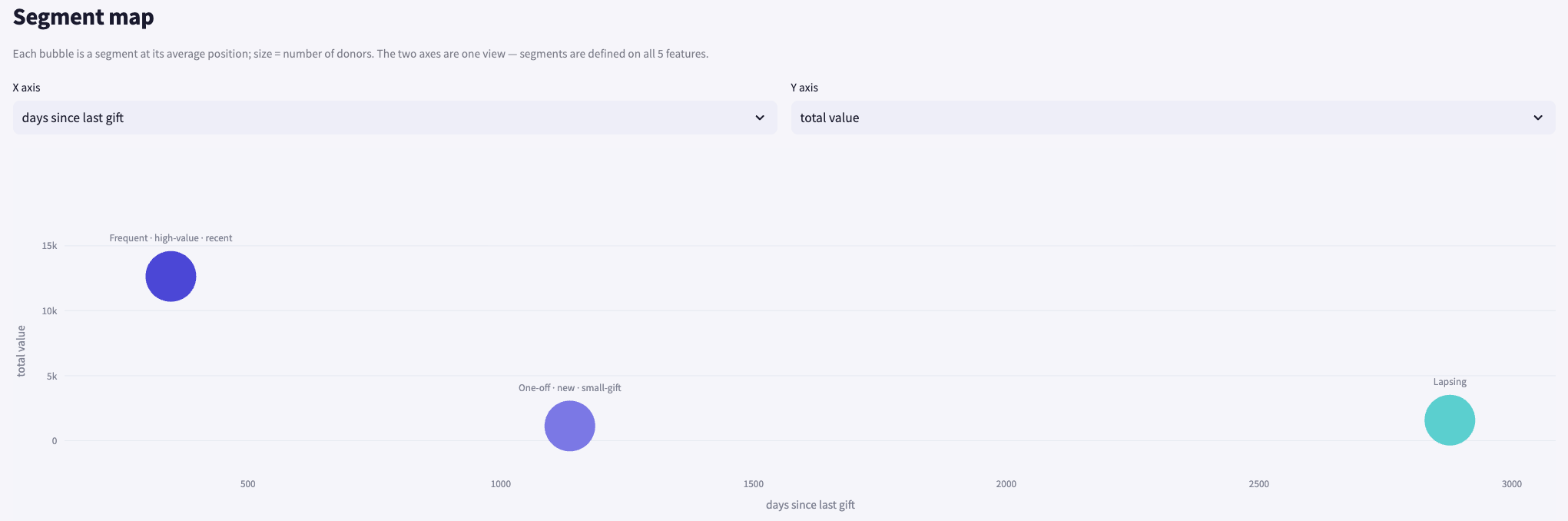
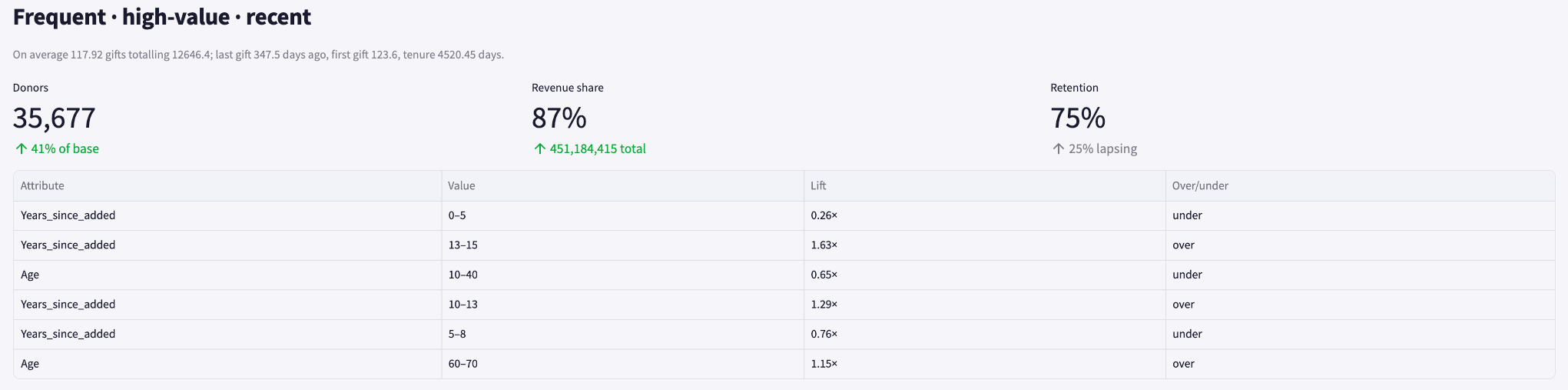
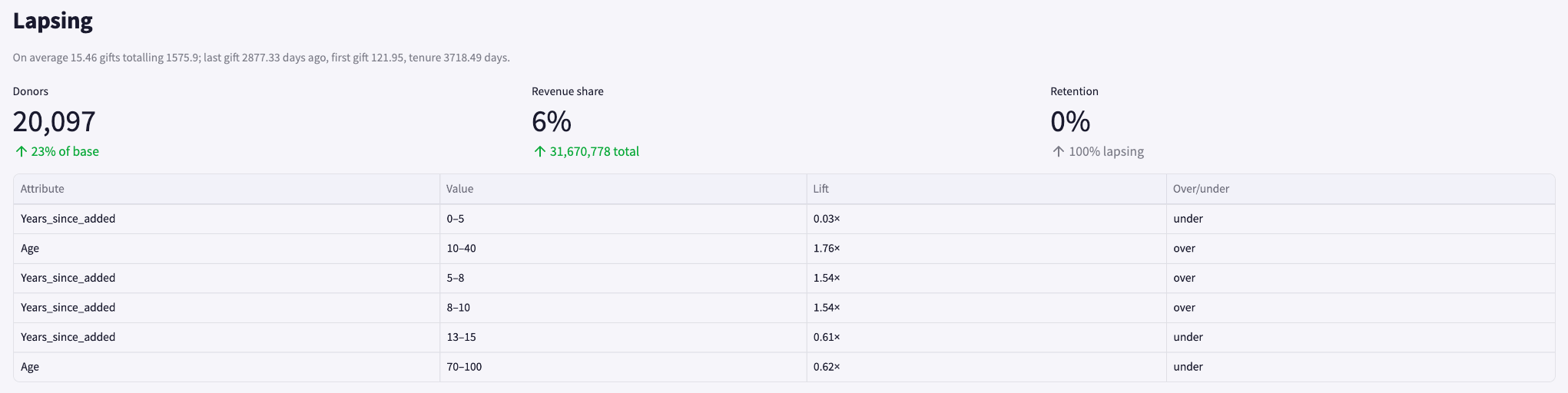
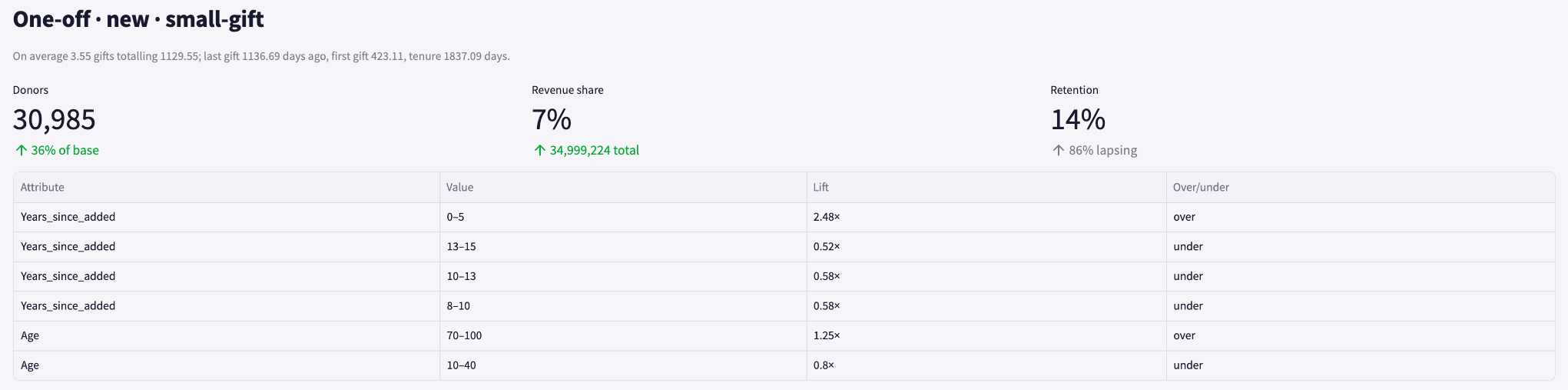
Natural groups within your existing donors — clustered by giving behaviour (recency, frequency, total value, tenure and first-gift size), then described by who they are. Like the rest of the dashboard this is descriptive, not predictive: it summarises the donors you already have, it doesn’t score or forecast. (In the app this page is titled Donor Segments; it complements the engagement-based RFM view above — RFM uses fixed recency × frequency rules, this finds the groupings that naturally exist in your file.) Segment map — each bubble is a segment at its average position, sized by number of donors. Two axes are selectable (the same behavioural features), but every segment is defined on all the features at once — the map is one view of a multi-dimensional grouping. The segments — a card per segment with a plain-language profile sentence and three headline metrics: donors (and % of base), revenue share (and total), and retention (with the lapsing share). Each card also lists the attributes that over- or under-index in that segment (attribute, value, lift, direction) — the “who they are” behind the behaviour.- Segment map
- Segment card — frequent
- Segment card — lapsing
- Segment card — one-off